
Live planning
No spinner. While the engine works you see the search spread over the map and a dashed draft appear; when it finds several good variants you browse them and tap “Keep this route” on the one you like. In the app and the web planner.
Motorcycle route planner for Android and the web
Pick where you want to go, choose Curvy or Adventure, and AddStride finds the roads. Twisty tarmac or gravel, your choice. Then ride it turn by turn with the Android app, offline in any country you download.
The web planner is free with a sign-in: up to 10 new routes a day. iPhone app coming soon
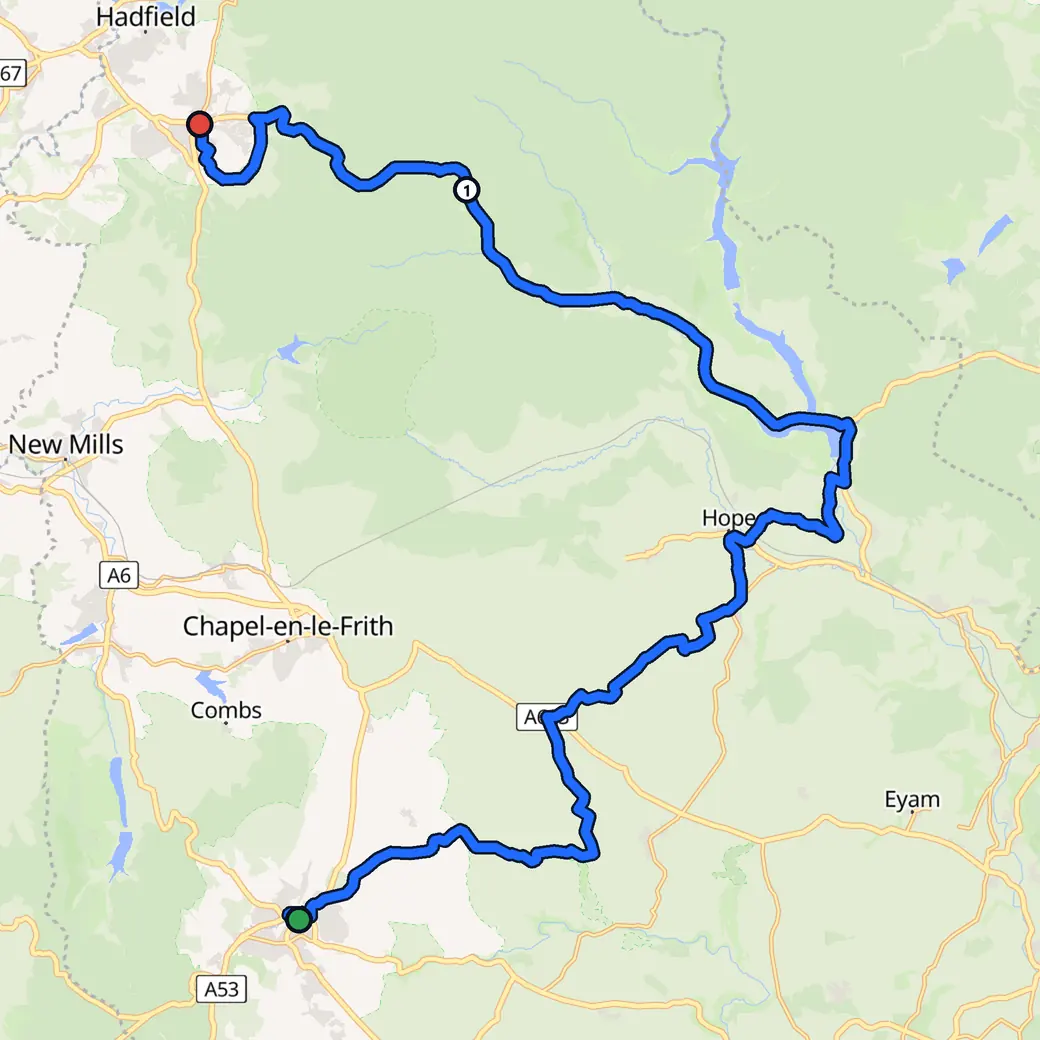
Loading the plan…
Replay of recorded engine progress on OpenStreetMap data, not a screen recording. Map © OpenFreeMap © OpenMapTiles © OpenStreetMap contributors
The route mode decides what kind of roads you get. Switch it and the same trip changes shape: the fastest way, the bends or the gravel.
Buxton to Glossop: 34 mi. Planned by AddStride in Curvy mode.
© OpenFreeMap © OpenMapTiles © OpenStreetMap
Every mode is a starting point. Adjust “Gravel” (or “Aim for this share” for an exact gravel share), “Track grade”, “Curvy roads”, “Elevation changes”, “Prefer small roads”, “Max detour” or “Follow trails”, and the mode becomes “Custom”. Each leg can have its own settings.
In the Android app, download map and routing data for any country before you leave. Planning, turn-by-turn navigation and ride recording then run on the phone, without mobile coverage.
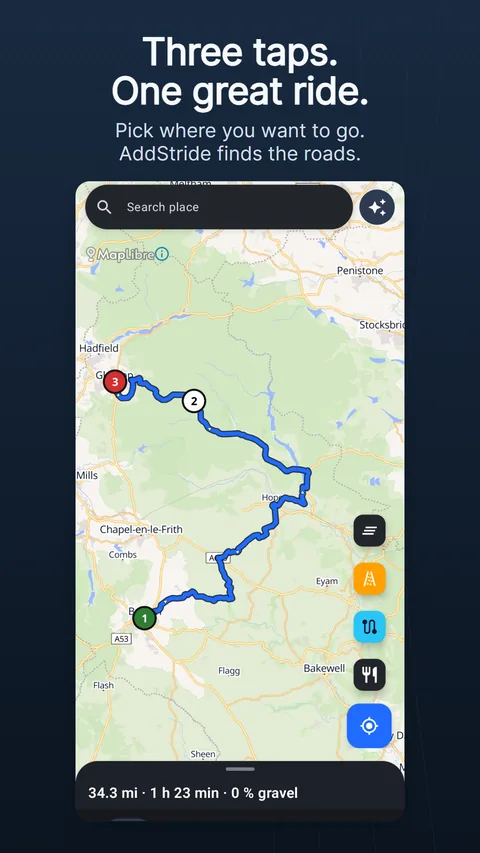
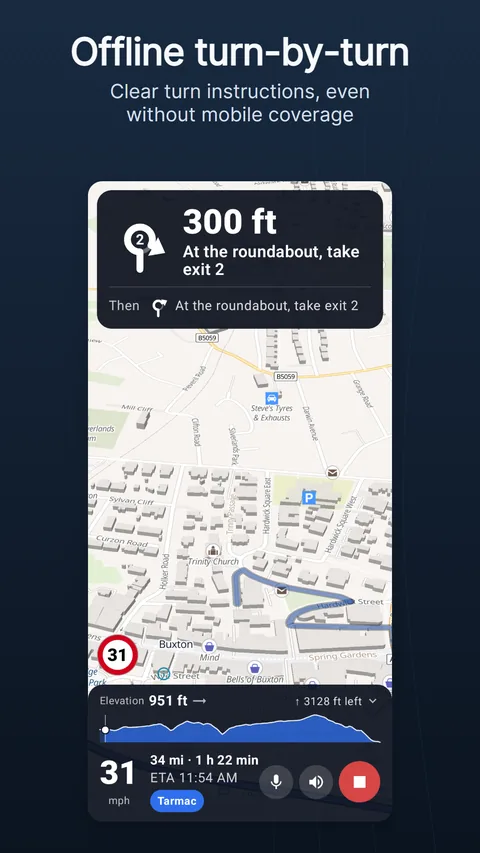
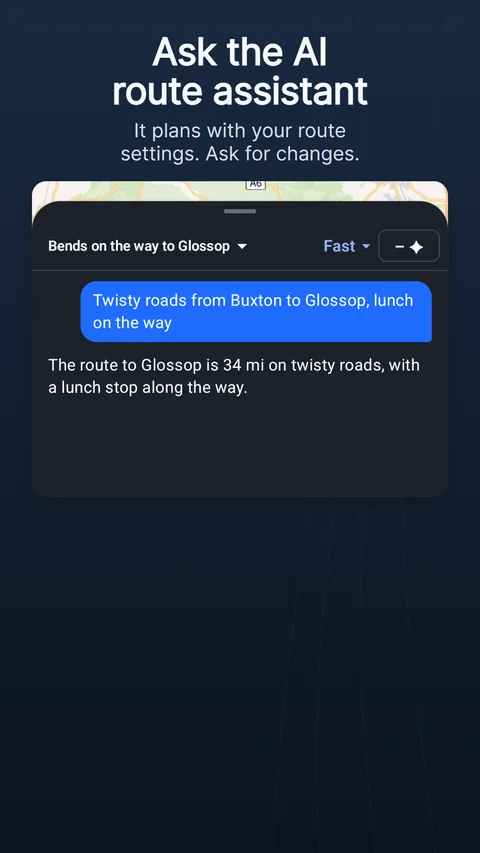
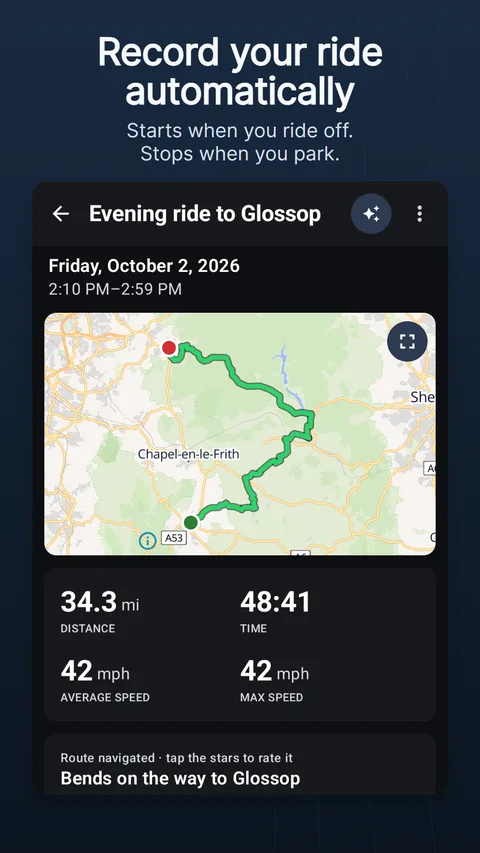
Planning is the heart of it. These make the rest of the day easier.
No spinner. While the engine works you see the search spread over the map and a dashed draft appear; when it finds several good variants you browse them and tap “Keep this route” on the one you like. In the app and the web planner.
In the app, tap “Loop route”, choose “Distance” or “Time”, turn the “Direction” dial where you want to head out and tap “Find loop”: AddStride finds a round trip in your route mode. In the web planner, put the destination on the start.
Describe the ride in your own words: ‘Twisty roads to the coast, 150 km, lunch by the sea, back by five.’ The assistant plans it with your route settings and changes it when you ask. Optional, in the app and the web planner; needs internet and uses AI credits.
In “Discover”, browse routes other riders have published, “Top rated”, “Newest” or “Near me”, and “Save to library”. Ridden a route? “Publish to gallery” shows what everyone will see first, and “Hide where I start and finish” keeps your home private.
Group routes into collections. “Show as days” makes them day 1, day 2, day 3 of a trip, and “Navigate next” starts the next day with one tap. With AddStride Plus they are in the web planner’s library too.
“Import GPX” from friends, clubs and the Trans Euro Trail; “Match to roads” gives you turn instructions. Join routes into one plan. Export routes, rides and collections as GPX.
AddStride is not affiliated with Trans Euro Trail. Download TET files yourself from transeurotrail.org.
The AddStride web planner is live at app.addstride.com. Sketch a ride at your desk with the same route modes and the same live planning as the app, then take it with you. Routes are calculated on the AddStride server with the same engine as the app.
You subscribe to AddStride Plus in the Android app.
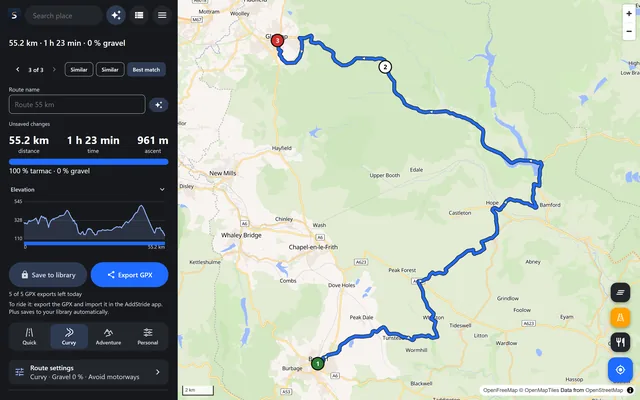
Planning and navigation are free, in the app and in the web planner. The AI route assistant uses credits. Restoring your backup on a new phone, navigation on your bike’s dashboard and the web planner without daily limits come with AddStride Plus.
| Feature | Free | AddStride PlusWith the Android app, coming soon |
|---|---|---|
| Route planning in the app | On the phone, offline, in every route mode | Also “Online” on the AddStride server: up to 1,000 plans a day, legs up to 1,000 km |
| Web planner | 10 new routes, 100 reroutes and 5 GPX exports a day; legs up to 600 km | No daily limits; legs up to 1,000 km |
| Library on the web and sync | GPX export and import | “Save to library”; routes, rides, trails, POIs and assistant threads in sync |
| Cloud backup | Kept while you use the app and for 30 days after | Restore it on a new phone, with more storage |
| AI credits | A few free when you install; “Watch an ad” for more; packs of 30, 100 or 300. Bought credits never expire. | Credits every month, and you keep the ones you do not use |
| Dashboard and Android Auto | “Demo route” to check your bike | Navigation on Yamaha over Bluetooth. In beta: KTM, Husqvarna and GasGas, Yamaha over USB, CFMOTO and other EasyConn bikes, and Android Auto |
| Sharing | “Export GPX”, “Scan QR code” and saving routes shared with you | “Share as QR code” for routes and collections |
| Group rides | “Join” | “Plan a group ride” |
| Your data | Not included | “Download all data” any time, also after cancelling |
| Plans | Not included | Monthly, six months or yearly; cancel any time in Google Play |
Map and road data © OpenStreetMap contributors (ODbL). Routing by BRouter and our own engine. Maps by MapLibre and OpenFreeMap. Made by a small team in Sweden for motorcycle riders. Available in 29 languages.
Ride responsibly. Map data can be wrong. Tracks may be closed or impassable. You are responsible for where and how you ride.